A free tool by 4H1M Production, a nonprofit production crew Support 4H1M →
LTC & MTC show control for Resolume Arena

Your show,
exactly on cue.

TimeCue locks Resolume Arena to the show's timecode: clips, columns, layers and parameter fades fire on the exact frame, every time the show runs. Follow and control it from any browser with the web remote, or from a Stream Deck with the Bitfocus Companion module.

Download TimeCue 0.13 See it on tour
Windows · macOS · Linux · Bitfocus Companion module
Engine A · receiving LTC 25 fps
01:01:00:00
Next cue in 3.0 s
Intro sting 01:01:03:00 · Layer 2 · Clip 3
Last cue —
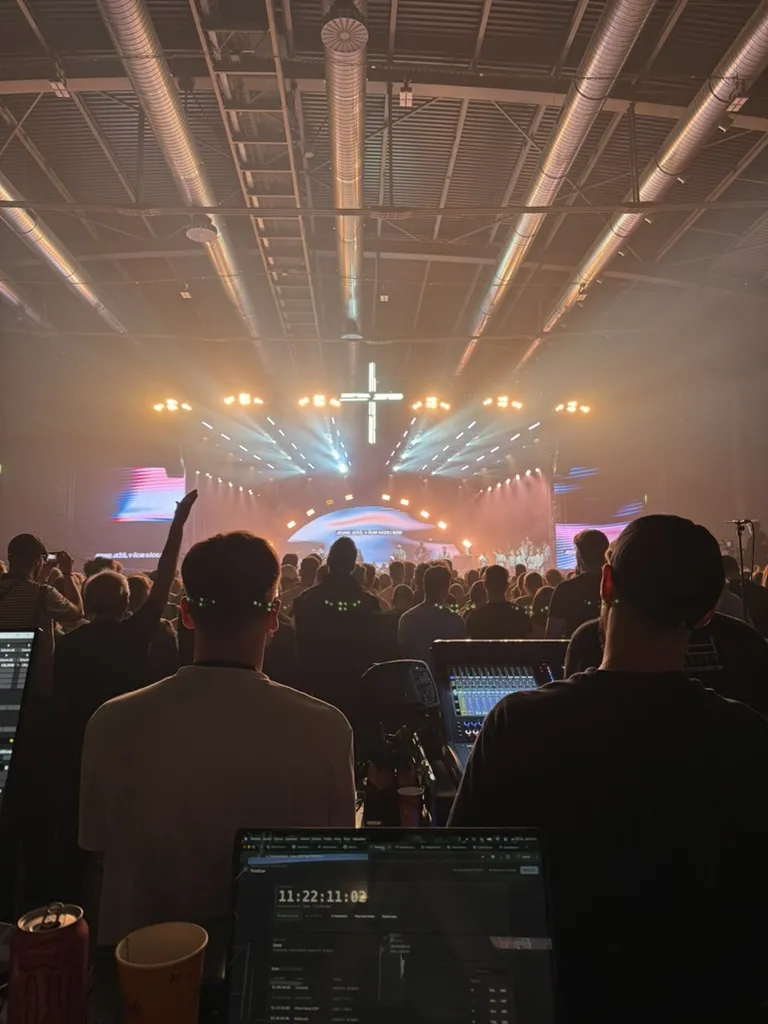
Front of house at a GODZONE tour 2026 show: a packed arena in front of the stage, with TimeCue running on a laptop at the desk
Front of house, GODZONE tour 2026 — TimeCue on the laptop.
On tour

GODZONE tour 2026 runs its Resolume on TimeCue.

GODZONE is the largest evangelization event in Slovakia and the Czech Republic: arena nights of live music, dance, theatre and video. On the 2026 tour, every visual cue is fired by TimeCue.

37 100people over six evenings of the 2025 tour
7arenas in Slovakia and the Czech Republic in 2026
3 hof live program every night, cued from start to finish
400+volunteers behind program, tech and reception
Features

Everything a timecoded show needs.

Any parameter, faded with the timecode

Opacity, effects, transforms, colours and blend modes — set instantly, or faded linearly or with an ease in, ease out or ease in-out. Seek into a fade and Resolume jumps to the matching value; play in reverse and it runs backwards — about 60 updates a second.
Two timecode engines

LTC from any audio input, MTC over MIDI or native RTP-MIDI. Two engines follow two independent time sources at once.

LTCMTCRTP-MIDI242529.97 DF30

Clips, columns and layers

Trigger a clip or a whole column, clear a layer, switch bypass and solo — at start, at end or during a range.

Intro stingLayer 2 · Clip 3
Song 1 · chorusColumn 3
Lower third onLayer 5 · bypass off

Pre-show check

Every cue is checked against the open composition, so a moved effect or an empty slot shows up before the doors open.

Resolume · 2 warnings
Layer 7 does not exist
Layer 2, column 4 is an empty slot

Resolume autosave

Saves the composition while you program, with timestamped backups to go back to — and a badge you cannot miss before the show.

Autosave · 10 min
Autosave/Show 2026-10-17 21-30-00.avc
SMPTE importTimecoded clips become cues in one scan.
LTC generatorRehearse without playback, or feed other gear.
Delay compensationFire a few frames early to absorb latency.
Show filesA whole show in one .timecue file.
At the desk

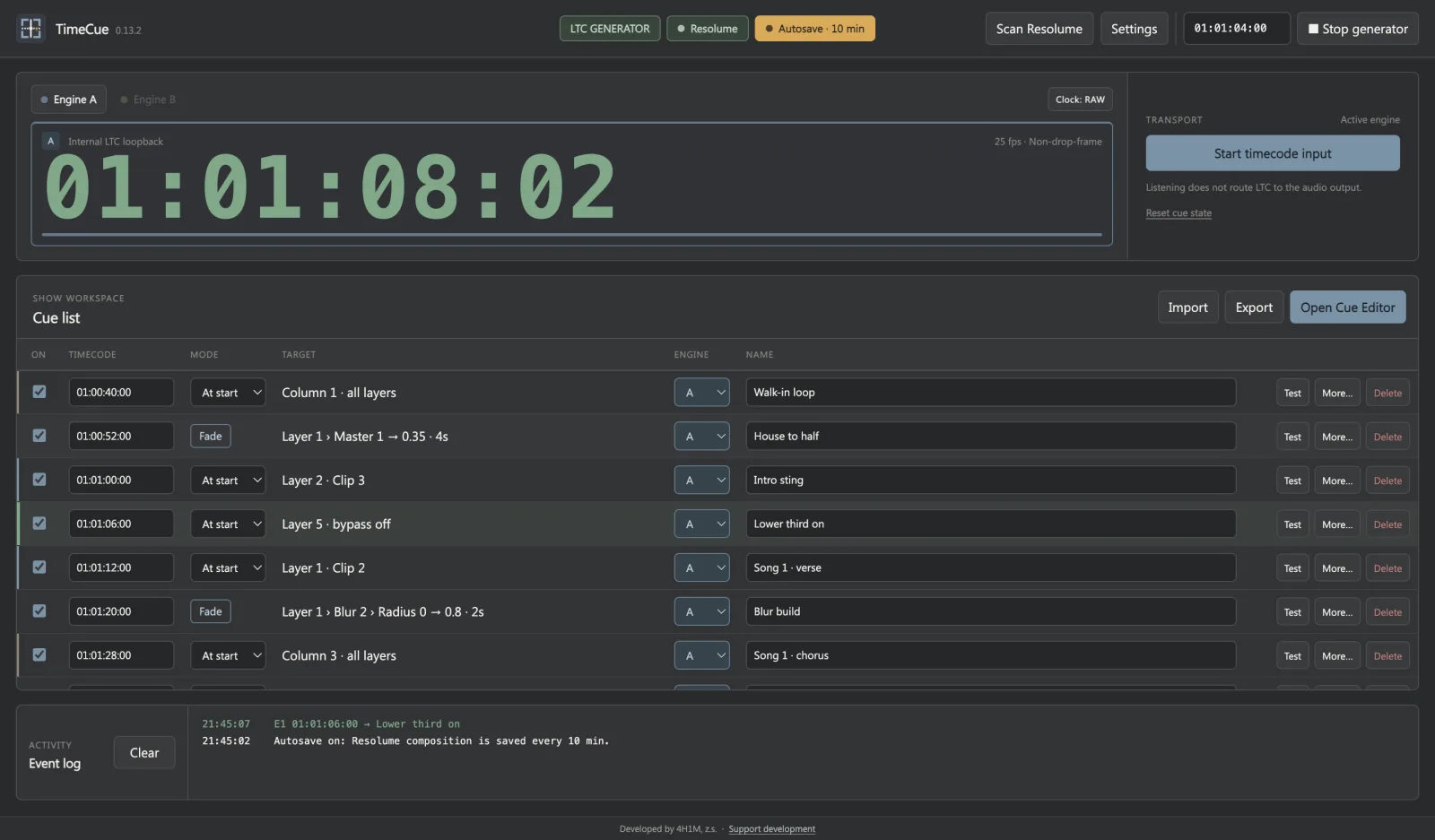
The whole show at a glance.

A clock you can read from across the room, the cue list with the last fired cue highlighted, and the Resolume and autosave state always in the top bar.

TimeCue main window with the running timecode, the cue list and the Resolume and autosave status in the top bar
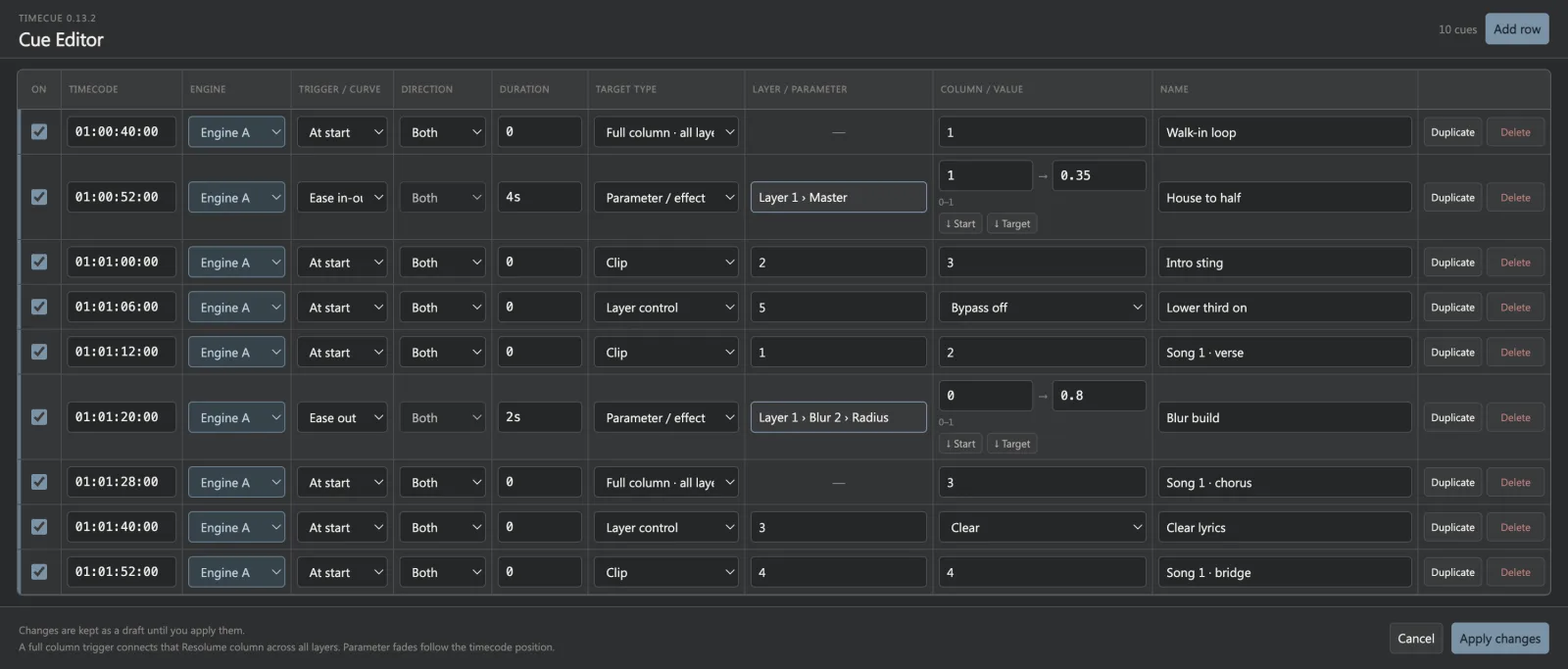
Cue Editor with clip, column, layer control and parameter fade cues
Cue Editor

A spreadsheet for the whole show.

Clips, columns, layer control and parameter fades side by side. Pick parameters from the live composition, copy their current values from Arena, and apply when the draft is ready — the list sorts itself by timecode.

Bitfocus Companion module

Your whole show on a Stream Deck.

Every release ships with its own Companion module. Put the clock, the next cue and Resolume's health on physical buttons, and run TimeCue without touching the laptop.

  • Live variables — both engines' timecode, signal level, next-cue name and countdown, last cue, Resolume status and autosave.
  • Feedbacks that light up — engine receiving, cue coming up, cue failed, Resolume offline, cues that no longer match the composition.
  • Actions — start the input or the LTC generator, fire any cue, switch engines, reset cue state, turn autosave on or off and save the composition.
  • Ready-made presets in the desktop app's colours, and token-protected access when Companion runs on another computer.
01
01
00
00
NEXT · AIntro sting3.0 s
LAST CUE—ok
LTC GENERATORSTOP
TIMECODE INPUTSTART / STOP
RESETCUE STATE
SAVECOMPOSITION21:30
ACTIVE ENGINEA
ACTIVE ENGINEB
DISPLAY CLOCKCOMP
AUTOSAVEOn · 10 min
THENLower third on
Web remote

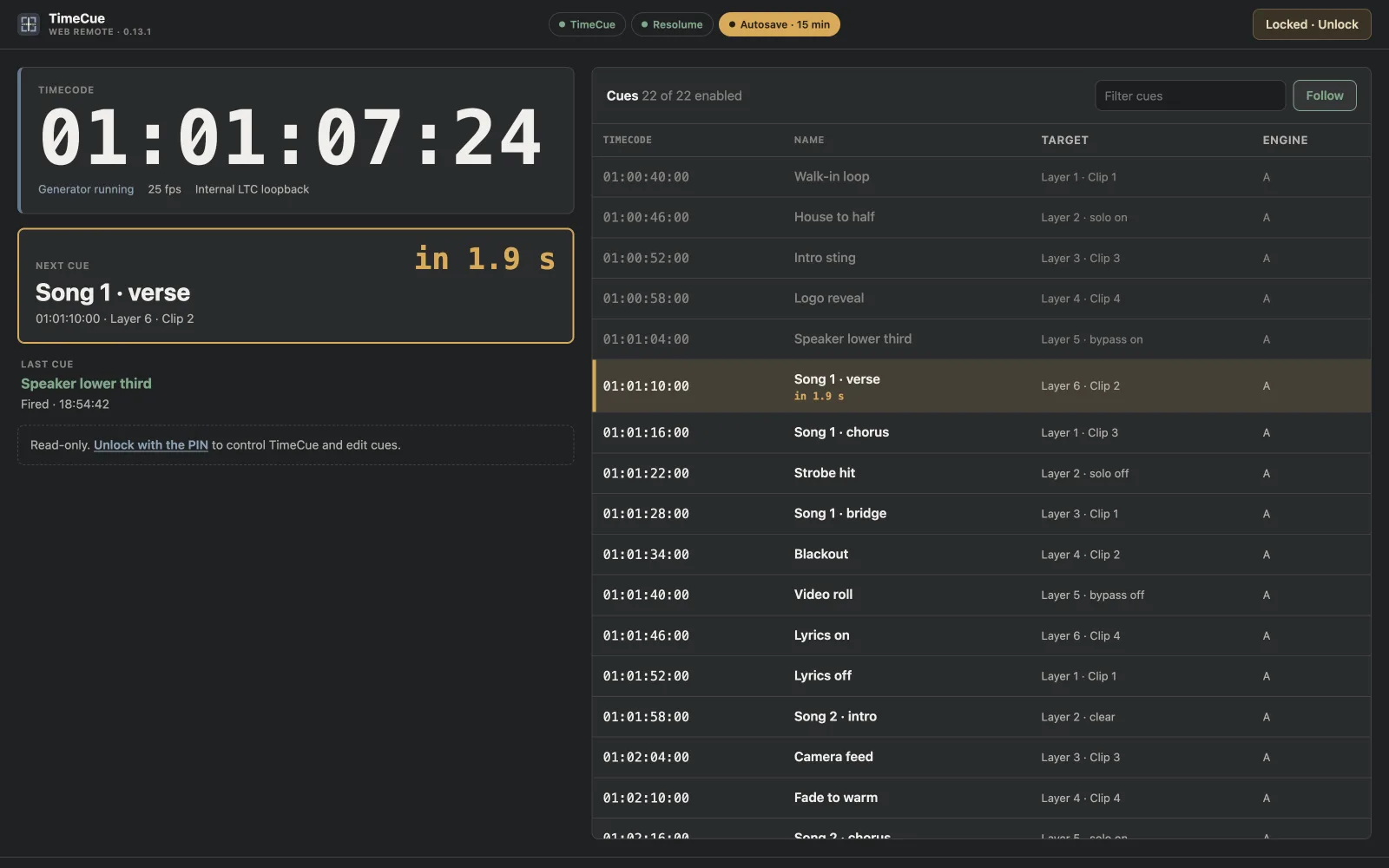
Follow the show from any screen.

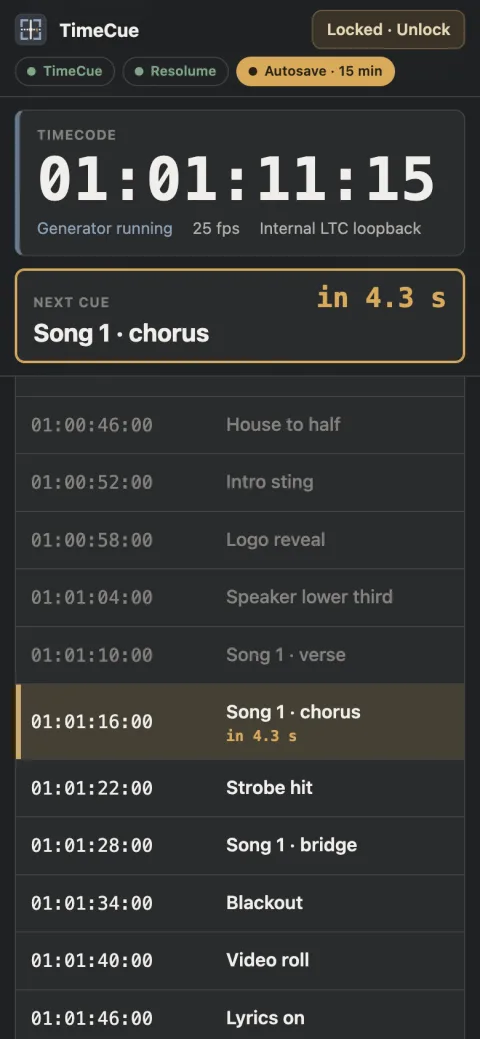
Open TimeCue in a browser on another computer, a tablet or a phone: smooth timecode, the next cue with a countdown, and a cue list that follows the show. Read-only by default — unlock a tab with your PIN to fire cues or edit while someone else works in Resolume.

Web remote on a wide screen: large timecode, next cue countdown and the cue list
Web remote on a phone with the timecode and next cue pinned at the top
How it works

Timecode in, Resolume out.

  1. 01 Timecode arrives LTC on an audio channel or MTC from the playback system or a network MIDI session.
  2. 02 TimeCue follows it Each engine decodes the clock, detects jumps and direction, and knows which cue is next.
  3. 03 Cues fire on the frame Clip, column and layer cues go to Resolume over its REST API; parameters over its WebSocket.
  4. 04 Everyone sees it The web remote and Companion show the clock, the next cue and the Resolume status live.

Get TimeCue 0.13

Free for Windows, macOS and Linux · Companion module in every release · updates itself
4H1M Production

Made by 4H1M, a Czech nonprofit crew serving churches and Christian events. We build tools like TimeCue for our own shows and give them away — a gift keeps them coming.

Support 4H1M